
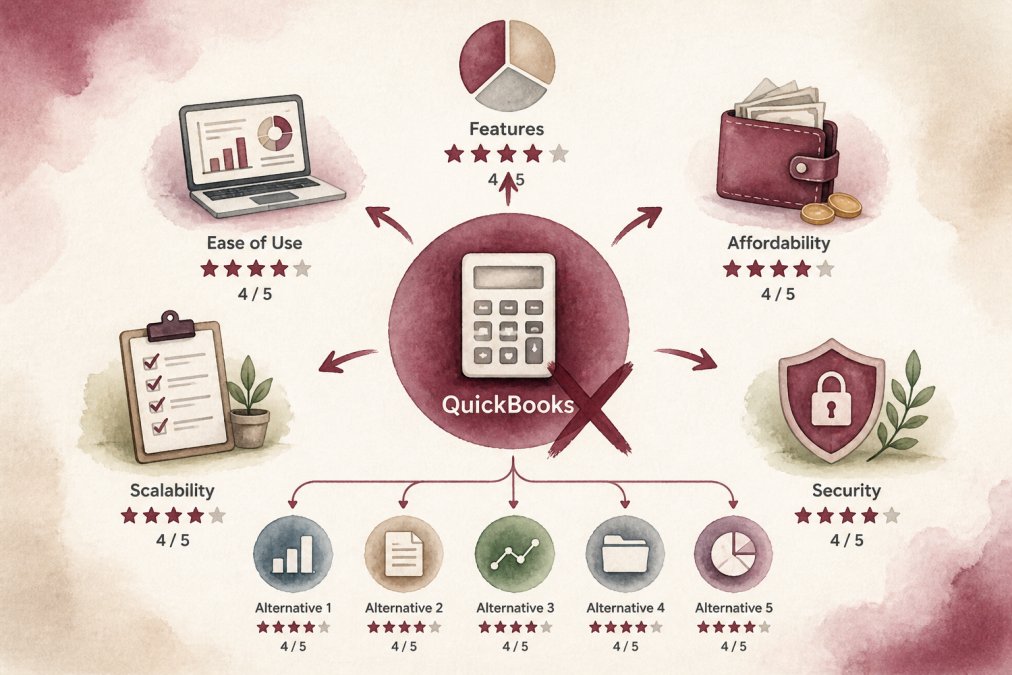
 comparison
Best Alternatives to QuickBooks for Small Business in 2026
Table of Contents
- Top QuickBooks Alternatives for Small Business
- QuickBooks vs Xero Comparison: Key Differences
- How to Migrate Accounting Data Without Losing Your Mind
- Frequently Asked Questions
Last Updated: September 14, 2026
Top QuickBooks Alternatives for Small Business
Finding the best alternatives to QuickBooks for small business starts with one question: what is your accounting software costing you in time? Owners pick software, fight it for two years, then pay someone to clean up the mess. Per IRS guidance on small business recordkeeping, accurate books are the foundation of every deduction you claim.
Accounting software for small business records income, tracks expenses, reconciles accounts, and produces financial statements. The best alternative to QuickBooks is the one your team will actually keep updated.
| Tool | Starting Price | Free Tier | Best For | Key Limitation |
|---|---|---|---|---|
| Paldino Company CPA | Custom quote | No | Full-service books + tax strategy | Not DIY software |
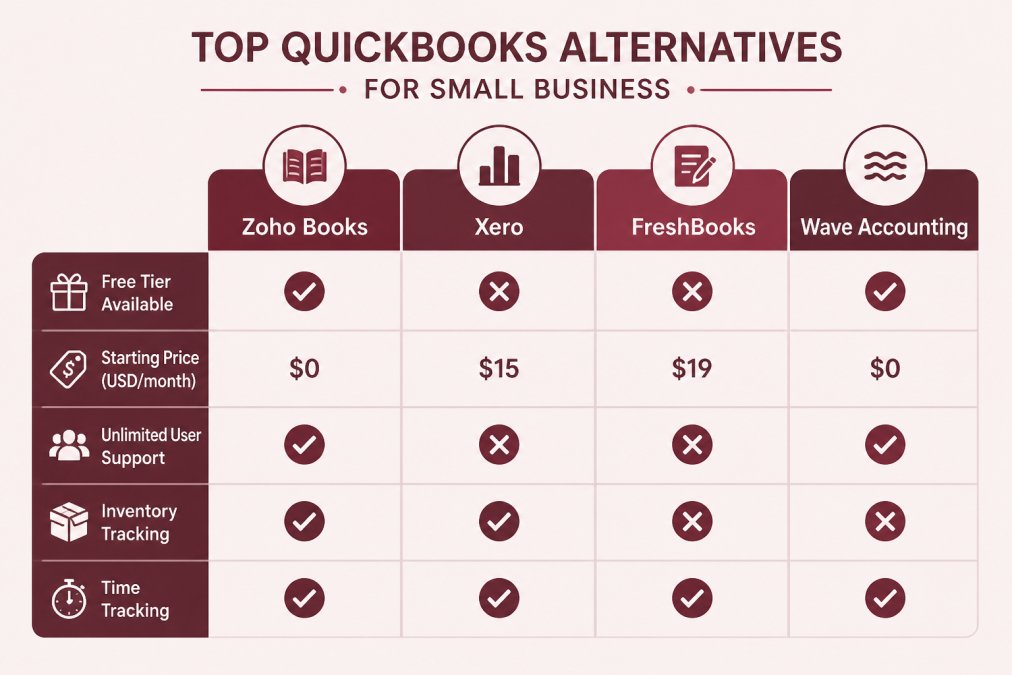
| Zoho Books | Free under $50k revenue | Yes | Budget-conscious teams | Steep learning curve |
| Xero | $25/month | No | Growing, integration-heavy businesses | Advanced features cost more |
1. Paldino Company CPA: Best for Owners Who Want Books Done Right
For most owners, the strongest alternative to QuickBooks isn't software, it's handing the books to a firm that also handles tax planning. Paldino Company CPA provides bookkeeping, tax preparation, and virtual CFO services across Westchester County, led by Joe Paldino. Year-round support is a key feature.
Where it falls short: this is a service, not a $30/month app.
2. Zoho Books: Best Free Tier
Zoho Books covers invoicing, expenses, and inventory, free under $50,000 annual revenue, the most generous free tier here. The tradeoff is complexity: budget a weekend for setup.
3. Xero: Best for Growing Teams
Xero is built around collaboration, and every plan includes unlimited users, decisive if a bookkeeper, partner, and office manager all need access. Bank reconciliation with automated matching is strong, and Xero connects to over 1,000 third-party apps including Shopify and Stripe. The catch: the features growing businesses want most sit on higher tiers.
4. FreshBooks: Best for Service Businesses
FreshBooks is invoicing software with accounting attached, right if you bill by the hour or project. Time tracking, project management, and automated payment reminders are built in. Its weakness is inventory: if you sell physical products, look elsewhere.
5. Wave Accounting: Best Free Option for Sole Proprietors
Wave Accounting offers free double-entry accounting, unlimited income and expense tracking, and professional invoicing. Payroll costs extra. For a sole proprietor with simple finances, Wave removes every barrier to getting started, but caps your ceiling: no inventory management, no complex project tracking.
QuickBooks vs Xero Comparison: Key Differences
The QuickBooks vs Xero comparison comes down to collaboration and integrations versus depth in one ecosystem. Xero includes unlimited users on every plan and connects to over 1,000 third-party apps; QuickBooks generally charges per additional user and leans on its own suite. If your bookkeeper, spouse, or partner needs login access, Xero usually wins on cost. If you want one vendor handling payroll, payments, and reporting together, QuickBooks' tighter ecosystem has appeal. Neither fixes messy books on its own, a process problem often seen in Mamaroneck and across Westchester County.
How to Migrate Accounting Data Without Losing Your Mind
Migrating accounting data means exporting your chart of accounts, customer and vendor lists, open invoices, and transaction history, then importing and reconciling every balance. Done carelessly, it creates a second set of problems.
The sequence that works:
Frequently Asked Questions
Is it difficult to migrate accounting data from QuickBooks to another platform?
Migration difficulty depends on the platform and your data volume. Most modern alternatives like Xero and Zoho Books offer direct import tools or CSV uploads for customers, vendors, and chart of accounts. Bank feeds usually reconnect automatically. The trickiest part is reconciling historical transactions. Many small businesses complete the switch in a few hours, but complex inventories or multi-year histories may need professional help. Start by exporting a backup from QuickBooks before you cancel.
What are the best free accounting software options for small businesses?
Wave Accounting offers completely free core bookkeeping and invoicing for micro-businesses and sole proprietors. Zoho Books has a free tier for businesses earning under $50k per year. Both handle double-entry accounting, bank connections, and basic reporting. Free plans typically lack advanced features like inventory management or project tracking, so they suit service-based businesses with simple needs. If you outgrow them, paid upgrades start at $25 per month for Xero.
How do I know if my business has outgrown QuickBooks?
Signs include spending hours on manual workarounds, needing unlimited users (Xero offers this on all plans), requiring inventory tracking that QuickBooks Online handles poorly, or wanting deeper project management. If your accountant asks for cleaner reports or you are juggling multiple apps to fill gaps, it may be time to switch. A QuickBooks vs Xero comparison often reveals whether you need better collaboration or integration options. Consult a CPA to map your specific workflows before migrating.