 How-to
How Do You Organize Business Receipts for Taxes?
Last Updated: October 26, 2026
Quick Summary
To organize business receipts for taxes, capture every receipt the moment you get it and file it the same day using a repeatable system. Record the five details the IRS asks for on each receipt, then store scanned images or email files in folders labeled by year and month.
- Waiting until month-end is a common mistake, since half the receipts may be faded or lost by then.
- Name each digital file with the date and vendor, and back up to cloud storage weekly.
- Build spreadsheet columns for date, vendor, amount, category, payment method, and receipt link.
- Enter receipts weekly and reconcile totals against your bank statement each month.
- Keep receipts at least three years from the filing date, and longer for asset purchases.
Table of Contents
- Step 1: Build a Business Receipt Organization System That Fits Your Workflow
- Step 2: Set Up Digital Receipt Management for Small Business
- Step 3: Track Expenses in a Business Expense Tracking Spreadsheet
- Frequently Asked Questions
Step 1: Build a Business Receipt Organization System That Fits Your Workflow
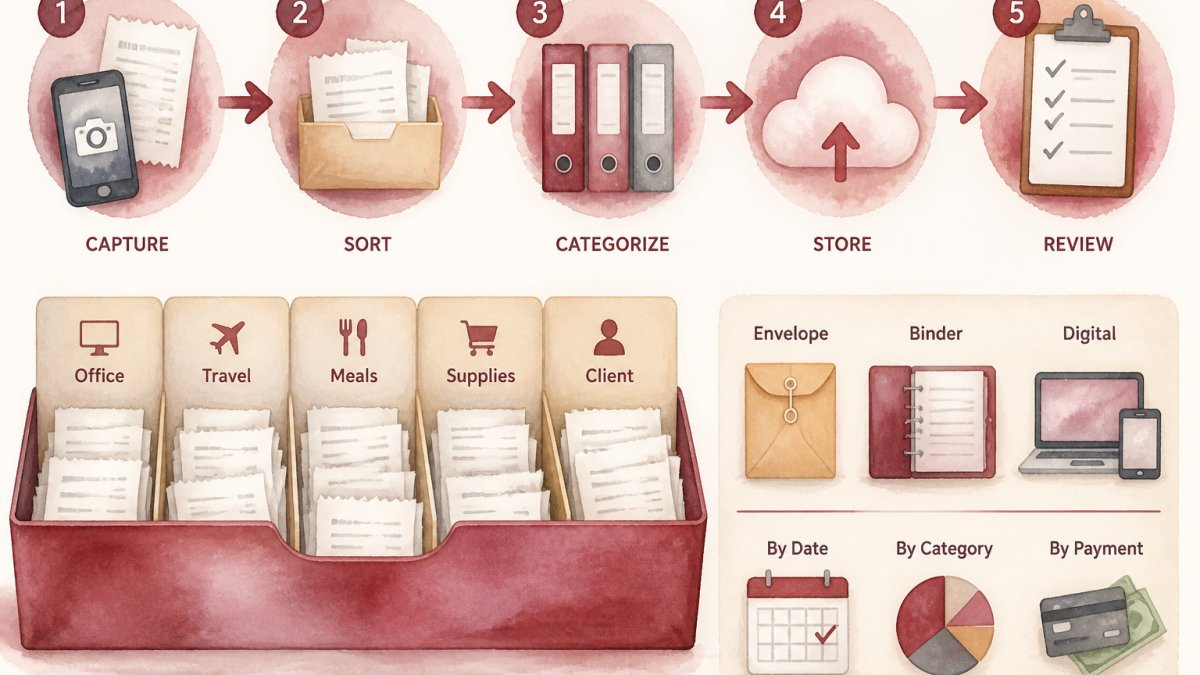
Learning how to organize business receipts for taxes starts with one habit: capture every receipt the moment you get it, then organize business receipts the same day.
A business receipt organization system is a repeatable routine for capturing, labeling, and storing proof of each purchase. The IRS guidance on recordkeeping asks for five details on every record: who was paid, the amount, the date, the payment proof, and what the purchase was for.
Waiting until month-end is a common mistake; by then, half the receipts are faded or lost. New owners can follow a step-by-step guide to new business taxes, and if the paper pile has won, it may be time to hire bookkeeping services.
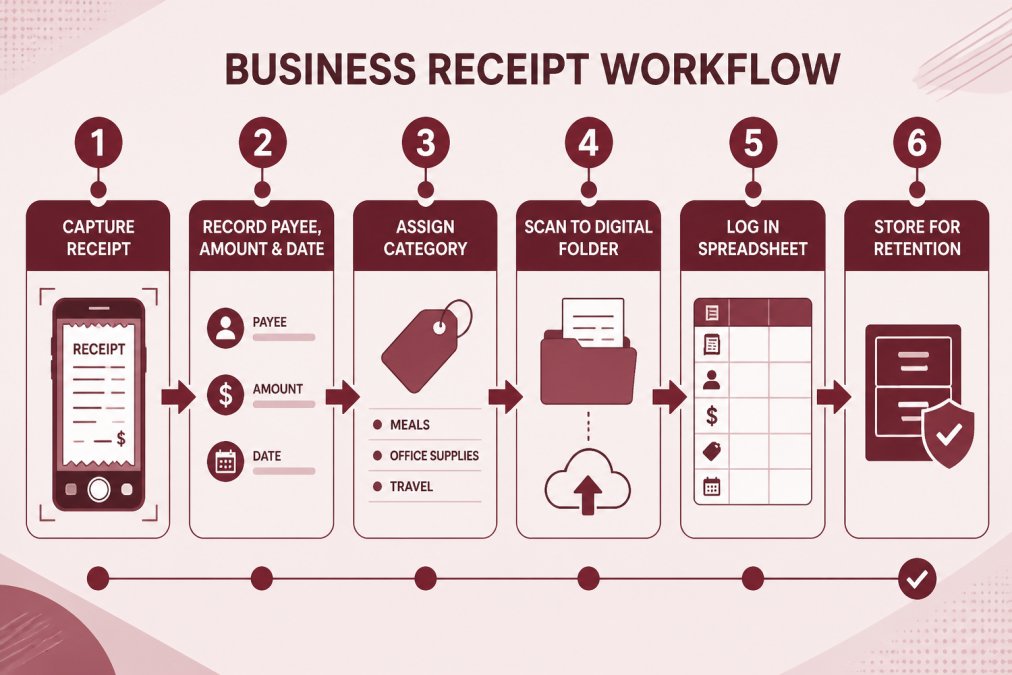
Every business receipt needs to capture the same five details the IRS asks for.
| Detail | What to record |
|---|---|
| Who was paid | The vendor or payee |
| Amount | The amount paid |
| Date | The date of the purchase |
| Payment proof | Evidence of payment |
| Purpose | What the purchase was for |
Step 2: Set Up Digital Receipt Management for Small Business
Digital receipt management for small business means storing every receipt as a scanned image or email file in labeled folders, one afternoon of setup that saves hours later. Create folders by year and month, name each file with date and vendor, forward email receipts to one dedicated inbox, and back up to cloud storage weekly. Cloud tools keep records searchable; if you are weighing that move, read about migrating to cloud accounting.
Step 3: Track Expenses in a Business Expense Tracking Spreadsheet
A business expense tracking spreadsheet turns a pile of receipts into a clean, sortable record. Build columns for date, vendor, amount, category, payment method, and receipt link, then enter receipts weekly, total each category monthly, reconcile against your bank statement, and flag anything without a receipt. Knowing which deductions those receipts support helps you sort as you go, and it helps to understand what a tax preparation service includes before filing season.
How long should you keep business receipts?
Keep receipts at least three years from the filing date, and longer for asset purchases or unresolved IRS matters. Check the official IRS guidance for your situation.
Frequently Asked Questions
Should I keep paper receipts or scan them?
Scan each receipt, name the file with the date and vendor, and back it up to cloud storage. Check with a tax professional if you are unsure.
What should I do if I lose a business receipt?
Ask the vendor for a duplicate receipt. Record the details in your business expense tracking spreadsheet.
Can I use a spreadsheet to track business receipts?
A business expense tracking spreadsheet can include columns for date, vendor, amount, payment method, category, and a link or file name for the scanned receipt. You can add a running total by category and enter receipts regularly. If you have questions about your records, consult a tax professional.
Receipt chaos costs you time, deductions, and sleep. At Paldino Company CPA, we build year-round bookkeeping and tax support around how you actually work, with virtual CFO insight and plain-English guidance for owners across Westchester County. Get started with Paldino Company CPA and hand off the paperwork for good.